Finishing the Enquiry Wizard
Overview
The Finish step is the final stage of the Enquiry Wizard. Once you reach this point, you have worked through all the required steps and the system is ready to commit everything you have done.
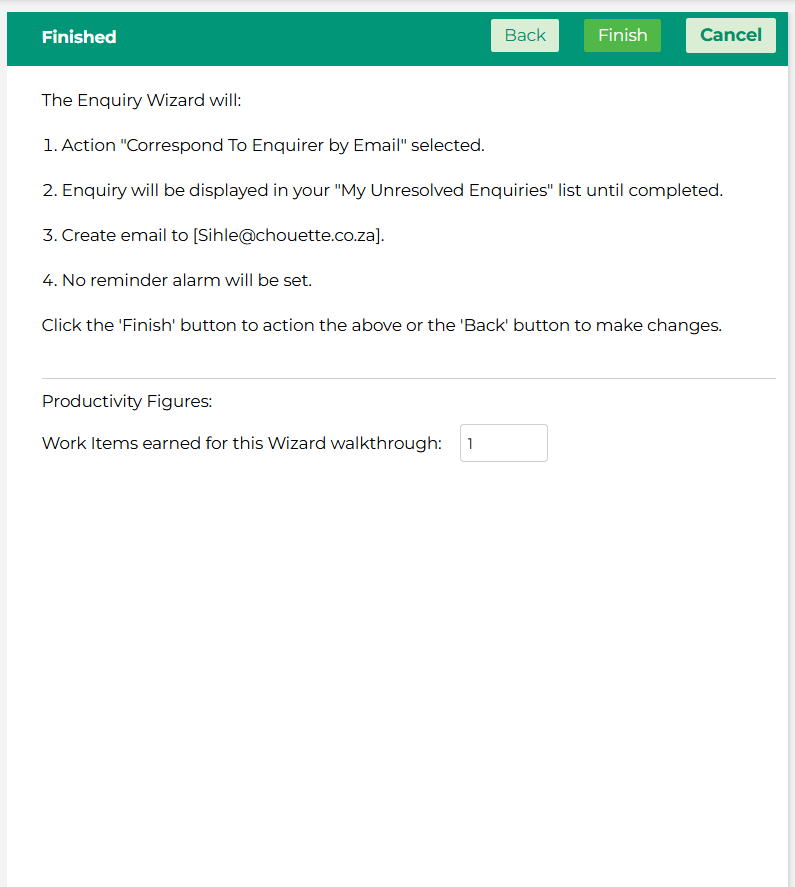
What Happens When You Click Finish?
Clicking Finish confirms and saves all of the actions you have taken throughout the Enquiry Wizard in one go. This includes your MIS data capture, the email you composed, any recipients you added, and the expiry and reminder alarm settings you configured.
Until you click Finish, none of these actions have been applied — so it is worth taking a moment to make sure you are happy with everything before completing this step.
Before You Click Finish
If you realise you need to make a change, use the Back button to navigate to the relevant step and make your update before returning to Finish.
If you need to abandon the process entirely, click Cancel. Please note that cancelling at this stage will discard all the actions taken during the current Enquiry Wizard session.
Once you are satisfied that everything is correct, click Finish to complete the process. The enquiry will then be updated and moved to the appropriate status based on the action you selected.